

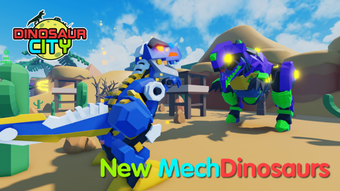
Description
Build Your Dinosaur City in Roblox
Dinosaur City Simulator is a free desktop tool designed for Roblox users seeking to enhance their gameplay experience. Developed by White Dragon Horse, this software enables players to simulate city-building mechanics within the Roblox universe. It is tailored for casual and creative gamers who enjoy constructing and managing virtual cities populated by dinosaurs. The application supports both Windows and Mac operating systems, offering accessibility to a broad user base. Although the software is not a standalone game, it functions as a utility that complements Roblox gameplay by introducing simulation elements. It may be used by players interested in experimenting with urban planning, dinosaur management, and custom scripting. The tool is available in English, Chinese, and Korean, making it accessible to international audiences. As of the latest update on August 2, 2022, the software remains in a basic version with no reported system requirements. The developer has not provided detailed performance or stability information, and the current version number is listed as 0, suggesting an early release or experimental status.
Key Features & Capabilities
- Dinosaur City Simulation Engine – Allows users to create and manage virtual cities populated by dinosaurs, simulating urban dynamics such as resource distribution, population growth, and environmental impact.
- Roblox Integration – Designed specifically for use within the Roblox platform, enabling seamless interaction with existing Roblox games and environments.
- Multi-Language Support – Available in English, Chinese, and Korean, supporting diverse global users who play Roblox.
- Custom Scripting Interface – Provides a basic interface for executing custom scripts, allowing advanced users to modify gameplay behavior and city mechanics.
- Lightweight Design – With a file size of 1.5 MB, the software is optimized for minimal system resource usage, making it suitable for devices with limited storage.
The software’s simulation engine is intended to help users explore creative city-building scenarios without requiring a full game environment. By integrating with Roblox, it expands the platform’s interactive potential. The scripting interface enables power users to tailor experiences, such as adjusting dinosaur behavior or setting up automated city systems. While the exact functionality of the script executor is not detailed, its presence suggests a focus on customization. The lightweight nature of the application makes it easy to install and run on a variety of devices. The lack of specified system requirements indicates that it may be designed for low-resource environments. Overall, the features are aimed at enhancing gameplay through simulation and user-driven customization.
User Interface, Workflow & Performance
The user interface of Dinosaur City Simulator appears to be minimalistic, designed to prioritize functionality over visual complexity. Navigation is expected to be straightforward, with essential tools and settings accessible through a compact dashboard. Users are likely to interact with the software via a series of menus and input fields, possibly including options for selecting dinosaur types, city layouts, and simulation parameters. The workflow is likely linear: launch the software, configure settings, connect to Roblox, and begin simulation. Due to the absence of detailed documentation, the learning curve may vary depending on user familiarity with Roblox and scripting tools. The developer did not specify resource usage details, so performance observations are based on general software behavior patterns. The software’s 1.5 MB size suggests low CPU and RAM consumption, which may contribute to stable operation on older or entry-level systems. Stability during extended use is not confirmed, and no reports on crashes or freezes have been shared. The current version is listed as 0, which may indicate an early release stage or placeholder versioning. Without performance benchmarks, users should anticipate variable results depending on their device and Roblox environment.
Compatibility & System Requirements
Dinosaur City Simulator is compatible with both Windows and Mac operating systems, allowing users across major desktop platforms to access the software. The installation size is 1.5 MB, indicating a lightweight footprint. However, the developer did not specify exact system requirements, including minimum CPU, RAM, or disk space needs. This lack of information means users should exercise caution when installing on older or low-spec devices. Platform compatibility information is limited to the operating systems listed, with no mention of specific Windows or macOS versions. The software is designed to work within the Roblox ecosystem, meaning it likely requires an active Roblox account and internet connection for full functionality. The current version is 0, which may reflect an initial or experimental build. Users should be aware that the software may not be fully optimized for all hardware configurations. The absence of detailed compatibility data suggests that the tool may be in an early development phase, and future updates could introduce new system requirements.
Pros and Cons
Pros
- Free to download and use, with no cost barrier for entry
- Lightweight at only 1.5 MB, suitable for low-storage devices
- Available in multiple languages: English, Chinese, and Korean
- Designed for Roblox, enabling enhanced gameplay customization
- Includes a script executor for advanced users
Cons
- No detailed system requirements provided by the developer
- Version number is listed as 0, suggesting an early or incomplete release
- Performance and stability details were not specified
- Compatibility with specific OS versions is unclear
- Limited documentation or user guides available
FAQ Section
Is Dinosaur City Simulator safe to use?
The software is distributed through Softonic, a third-party platform. While it is labeled as free and does not appear to contain known malware, users should exercise caution when installing tools that interact with Roblox. It is recommended to scan the file with antivirus software before use.
Can I use Dinosaur City Simulator offline?
The software is designed to work within the Roblox environment, which requires an internet connection. Therefore, offline usage is unlikely to be supported. Users must have an active Roblox account and online access to utilize the tool.
Does the software require a script executor?
Yes, the software includes a script executor, which is necessary for customizing gameplay behavior. This feature allows users to run scripts that modify city simulation mechanics within Roblox.
What operating systems are supported?
Dinosaur City Simulator supports Windows and Mac operating systems. Specific versions of these platforms are not listed in the provided information.
How often is the software updated?
The latest version was released on August 2, 2022. No further update history or release schedule has been published. Users should monitor the developer’s page or distribution site for future updates.
Final Thoughts + CTA
Dinosaur City Simulator offers a unique blend of simulation and customization for Roblox players, particularly those interested in creative city-building and scripting. Its lightweight design and multi-language support make it accessible to a wide audience. While the lack of detailed system requirements and performance data limits full confidence in its stability, the software’s free nature and integration with Roblox present a compelling option for casual and experimental users. The version number of 0 suggests it may still be under development, so users should expect potential bugs or incomplete features. Nevertheless, for those looking to expand their Roblox experience with a dinosaur-themed simulation tool, this software delivers on its core promise. Download Dinosaur City Simulator now to begin building your own prehistoric metropolis.
Guides & Tutorials for Dinosaur City Simulator
How to install Dinosaur City Simulator
- Click the Preview / Download button above.
- Once redirected, accept the terms and click Install.
- Wait for the Dinosaur City Simulator download to finish on your device.
How to use Dinosaur City Simulator
This software is primarily used for its core features described above. Open the app after installation to explore its capabilities.
User Reviews for Dinosaur City Simulator 0
No reviews found





